Accessibility
The app does not show anything by colour alone, every sentence the phone reads aloud is also on the screen, and the pace is yours. Each of these is in the app, as a setting or on its own, and the pictures below are drawn by the app’s own code.
3 Built-in Palettes
The same scrambled puzzle in each. In Standard, letters on the stickers are optional, and on in the picture here; in Colourblind they are always on; in Mono they are shapes instead of letters, and always on.
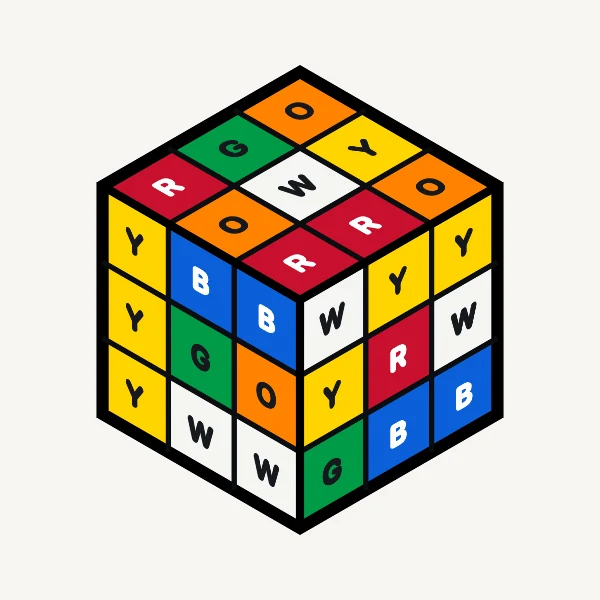
StandardThe colours most puzzles are made in, with letters off or on. 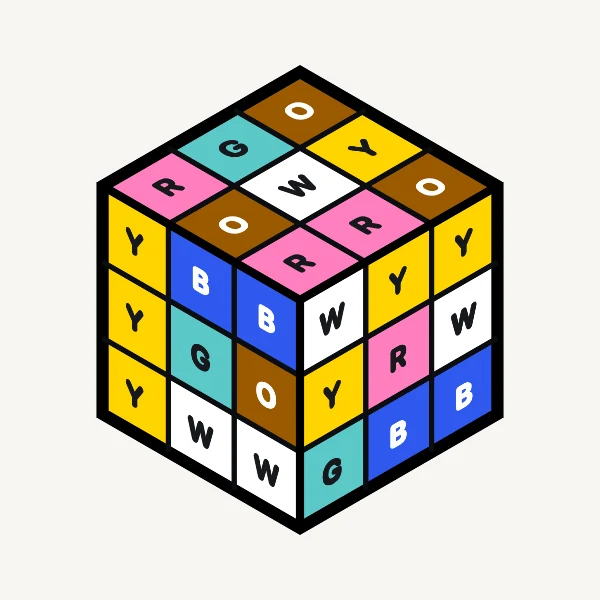
Colourblind3 lightness bands across a warm and cool axis, because under dichromacy about 2 perceptual dimensions survive. Letters are part of the palette, not a second setting. 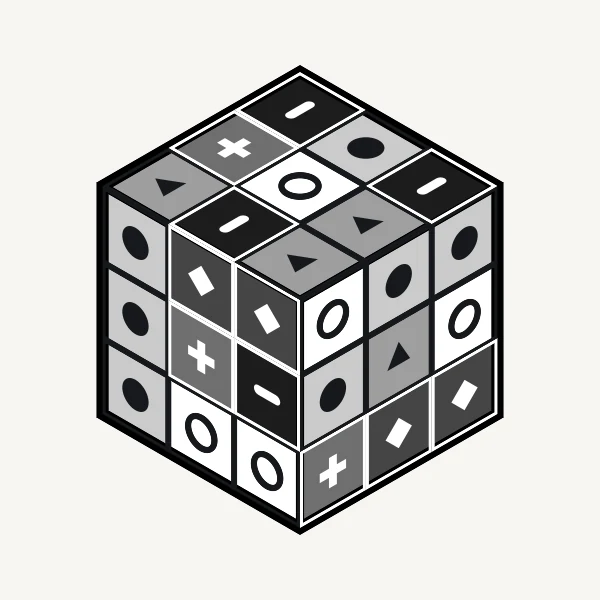
Mono6 greys on a lightness ladder, each with its own shape. It does not depend on colour vision at all.


Settings › Colours. Letters are a row of their own,
Settings › Letters on the colours, which Colourblind and Mono hold on.
Your Puzzle’s Own Colours: Kept Apart from Each Other
Puzzles are sold in every colour scheme there is. Set each side to the colour your puzzle actually is, side by side, and those are the words used for the rest of the steps. There are 25 named colours to choose from rather than a colour wheel, because every colour is spoken aloud and a wheel produces colours that do not have a name.
A colour you cannot tell apart from one you have already used is greyed out and cannot be chosen. The app compares the 2 the way eyes do, in CIELAB through ΔE2000, and refuses anything closer than 12, so silver greys out once white is taken, and gold once yellow is. A greyed swatch keeps its place in the grid, carries a diagonal slash as well as its dimming, and tells VoiceOver why: “Too close to a colour already on this puzzle”.
Input › Your colours, from the
square at the end of the colour row. On the 3×3 you rename its 6 colour words
instead: “cream” for white, say.

Palettes the Rule Accepts and Palettes It Refuses
6 colours for a puzzle with 6 sides, put through the app’s own rule; a puzzle with 4 sides is checked the same way. The number under each is the closest pair in it: anything under 12 is refused.
Accepted
-
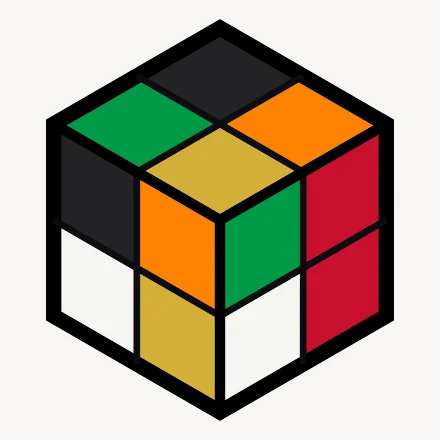
Pan-African
AcceptedRed, green, black, gold, white, orange. Closest pair red and orange, 22.96.
-
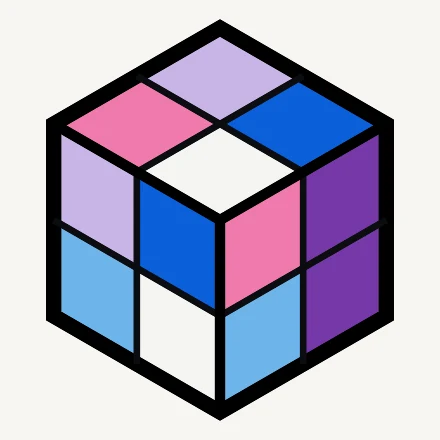
Trans Pride
AcceptedPurple, pink, lavender, white, sky, blue. The flag’s light blue is sky here, and its navy is blue. Closest pair purple and blue, 16.88.
-
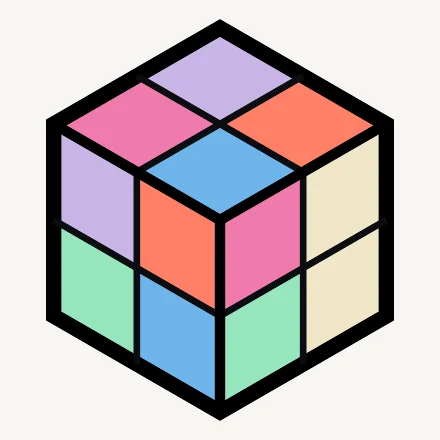
Pastels
AcceptedCream, pink, lavender, sky, mint, coral. Closest pair pink and lavender, 20.66.
-
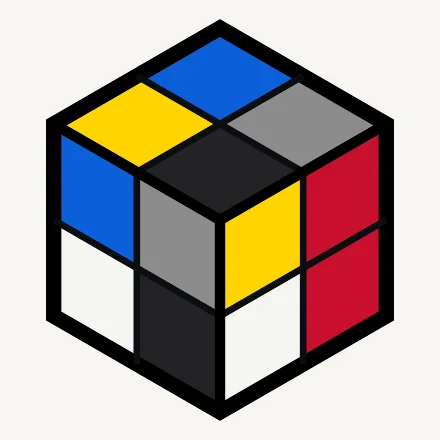
Bauhaus
AcceptedRed, yellow, blue, black, white, grey. Closest pair white and grey, 26.65.
-
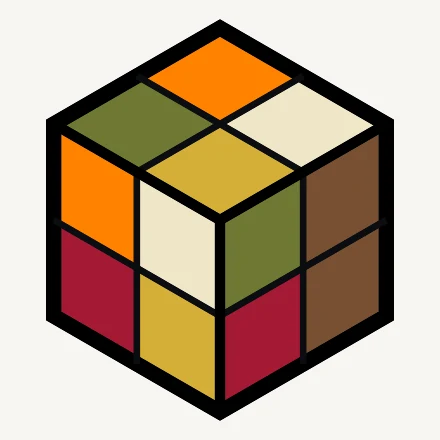
Autumn
AcceptedBrown, olive, orange, gold, crimson, cream. Closest pair gold and cream, 21.24.
-
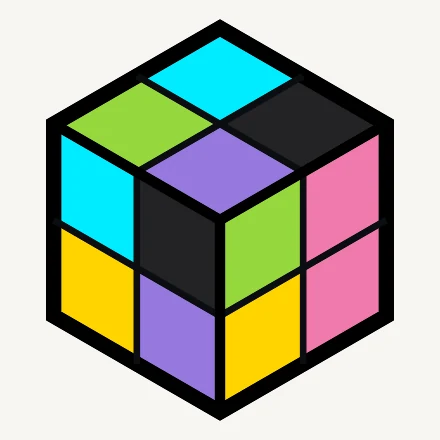
Neon
AcceptedPink, lime, cyan, violet, yellow, black. The colours do not include amber, so amber is yellow here. Closest pair pink and violet, 23.47.


Refused
-
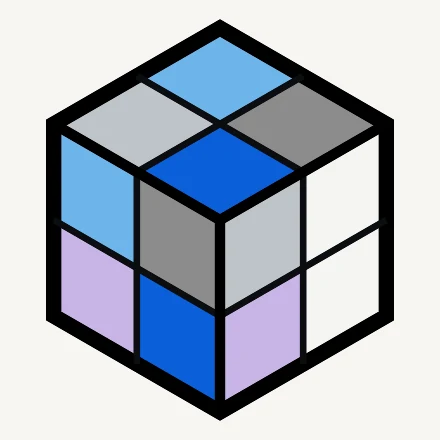
Winter
RefusedWhite, silver, sky, blue, lavender, grey. White and silver are 11.35 apart, so whichever you set second is greyed out. Grey instead of silver is accepted.
-
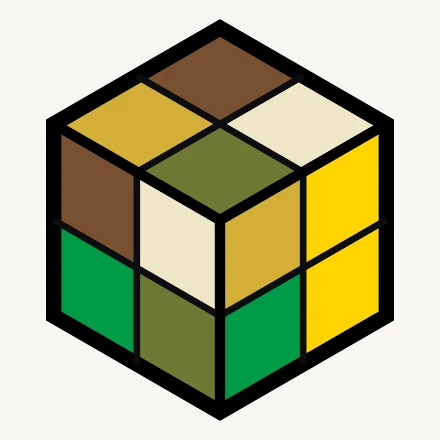
Sunflower
RefusedYellow, gold, brown, olive, green, cream. Yellow and gold are 10.99 apart. Drop one of them and the other 5 stand.
-
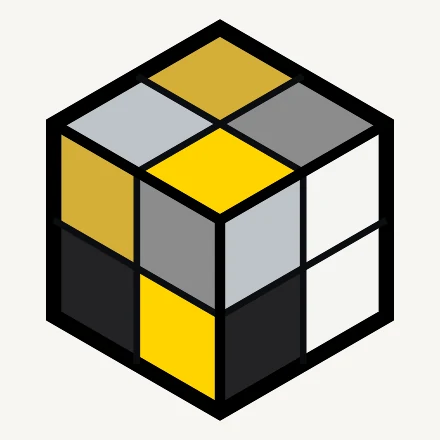
Metals
RefusedWhite, silver, gold, yellow, black and grey: 2 close pairs at once, white with silver and gold with yellow. 4 of the 6 grey out.


Every Step Spoken and Every Spoken Step Written
-
Speak each step
The instruction is read aloud in plain English. It is off by default, and on from the first launch if VoiceOver is running.
Settings › Speak each step -
The voice is yours to pick
Any voice installed on your phone, with the Enhanced and Premium ones marked, and a note saying where more are downloaded.
Settings › Voice -
5 speeds
0.5× to 1.5×, separate from your system speech rate, governing the spoken pace and the animation together, because they are the same thing.
Settings › Speed -
Move letters are optional both ways
Every move is said in words, such as “Turn the right-hand face towards you”. One switch adds the move under the words as the short letter puzzle fans write it down with, and another says that letter aloud as well.
Settings › Show the move on screenandSay each move aloud
Both Hands Stay on the Puzzle
-
Tap
The default: a step waits until you press the button, however long that is.
Options › Moving to the Next Step -
On a timer
A wait you set, counted per turn, so a step with 4 turns waits 4 times as long as a single turn.
Settings › Seconds for Each Turn -
Say “next”
It also hears “back” and “again”. Recognition happens on your phone; if your phone cannot do that offline in your language, the app refuses to listen rather than sending audio anywhere, and says so.
Options › Moving to the Next Step
Text at the Largest Accessibility Sizes
The step card at the default size, and at the largest accessibility size. The card grows with the text rather than clipping it, and at these sizes controls that sat side by side stack instead.
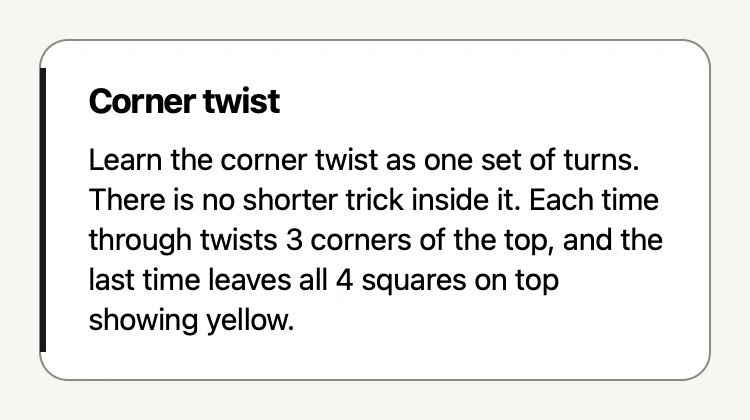
Default“Corner twist”, with its reason under it. 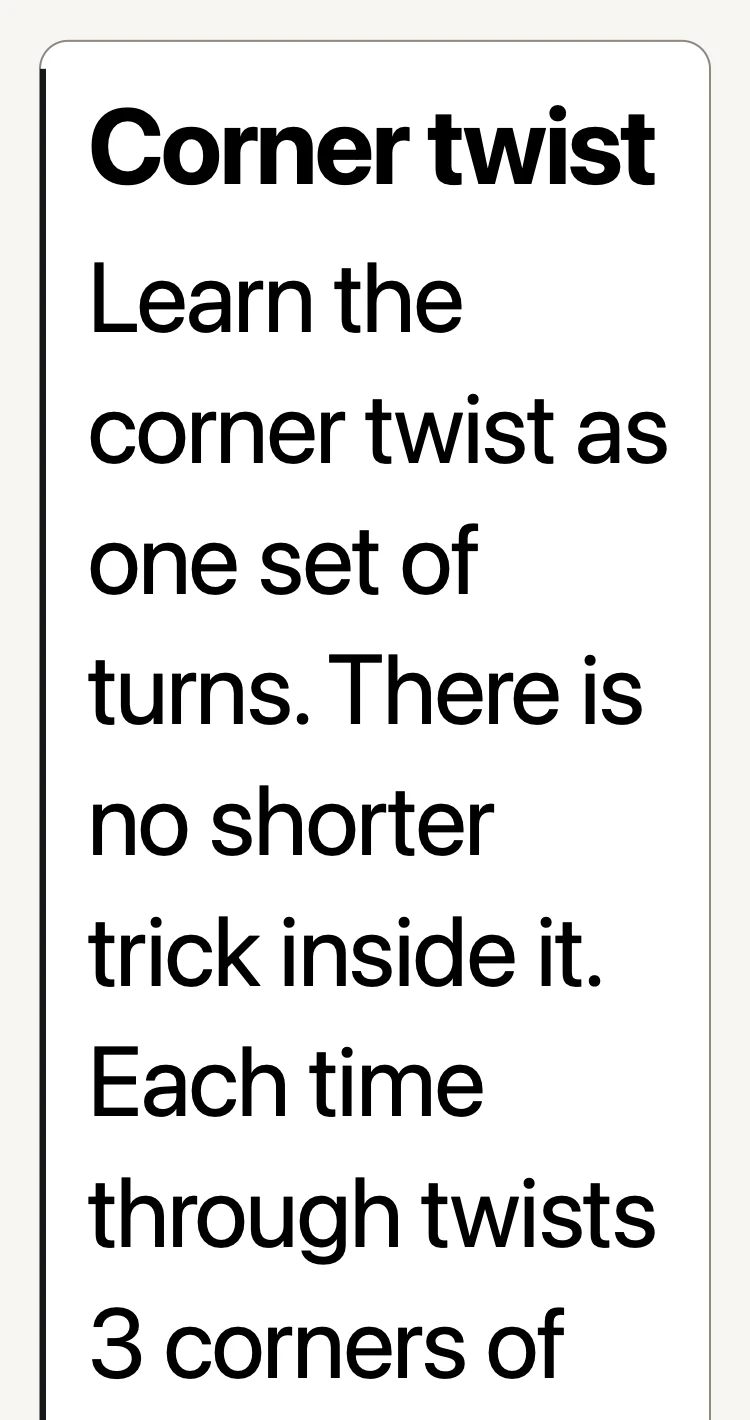
Largest accessibility sizeThe same words, all of them shown in full. The picture stops short of the card’s foot.
Motion with Touch and Contrast
-
Reduce Motion
The system setting is honoured: looping animation becomes still frames, and the movement between screens is cut.
iOS Settings › Accessibility -
Animation: your choice
Repeat, Once or Still. With Reduce Motion on, Repeat becomes Still, and the other 2 stay as you set them.
Settings › Animation -
Feel each turn
A tap you can feel as a step lands. On by default, and one switch turns off every haptic in the app.
Settings › Feel each turn -
Increase Contrast
Turns the sticker labels on wherever they were off, and draws the puzzle’s lines a quarter heavier.
iOS Settings › Accessibility -
Reduce Transparency
The dimmed backdrop behind a panel becomes solid instead of blurred.
iOS Settings › Accessibility -
Dark or light or match iOS
3 choices, and matching iOS is the default.
Settings › Appearance
Low Stimulation
One switch, Keep things calm: each step’s turn plays once and the voice says its first line. The phone stays still and races hide their clock. The rest of each step stays written on the screen.
Settings › Low Stimulation
VoiceOver
Controls are labelled and grouped, values are spoken as what they will do rather than as numbers, panels can be dismissed with the escape gesture, and the dial carries a rotor of the puzzles. Decorative drawings are hidden from it. Every sentence the app speaks aloud is also written on the screen, so the voice is not the only way to get an instruction.
What Is Not There
Said plainly, because a list of features is easier to trust beside one of absences. The app does not have a left-handed or right-handed layout setting; the main action sits at the bottom of the screen for one-handed use, and that is all. Captions are not a separate feature: the written step is always on the screen instead. And Low Stimulation calms what moves, buzzes and speaks, but it does not change the layout or take anything written off the screen.
If something here does not work for you, that is a bug and it goes to the front of the queue. Tell us, or write to support@uncubed.app.